
How to Use Video to Enhance Corporate Training Programs
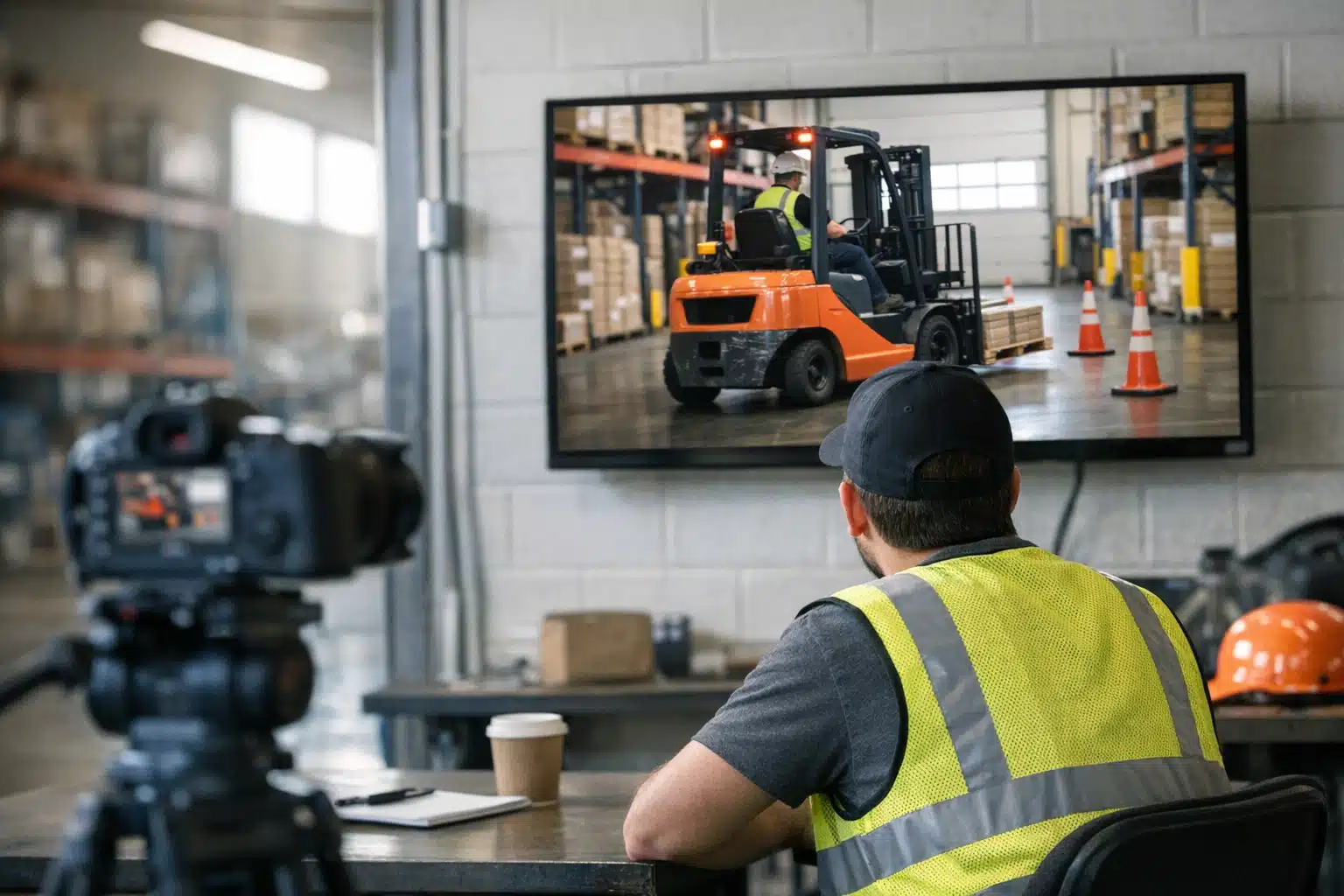
Video-based corporate training outperforms written materials because viewers retain 95% of video content compared to 10% from text. Denver employers can build scalable training libraries by planning shoots around single objectives and batching multiple modules to control costs.
- Training videos work best for repeatable skills, distributed teams, high-turnover roles, and compliance topics. Live sessions remain better for role-play and feedback-heavy coaching.
- Denver filming benefits from 300-plus sunny days, though high altitude requires careful exposure management. Winter shoots need extra batteries due to cold temperatures draining power quickly.
- Costs range from $800 for screen recordings to $20,000-plus for scenario-based productions with actors. Batching multiple videos in one shoot day significantly lowers per-video expenses.
Video enhances corporate training by providing content that employees watch, rewatch, and retain far better than written manuals. To maximize impact, create engaging onboarding videos, skill-building tutorials, and compliance training content. Video allows consistent messaging across large teams, supports remote learners, and can be updated easily as procedures change - making it a smart investment for growing organizations.
Denver added more than 10,000 new jobs across tech and finance firms last year, and every one of those hires needs onboarding. That scale makes corporate training videos one of the smartest investments for local employers. Written manuals get skimmed once and forgotten. Video gets watched, rewatched, and remembered.
This post breaks down how video improves training results, what a Denver shoot involves, and how to budget for it. You’ll get practical steps you can apply whether you run a 12-person startup in RiNo or a 500-employee operation in the Tech Center.
Why Corporate Training Videos Outperform Written Materials
Video teaches faster because it shows motion, tone, and sequence at once. A new warehouse hire learns forklift safety better by watching the maneuver than by reading a bulleted checklist.
Research backs this up. People retain roughly 95% of a message watched on video versus 10% when reading text. That gap matters when compliance or safety is on the line.
Video also fixes the consistency problem. When a Denver restaurant group trains staff across eight locations, a single recorded module teaches every cook the same plating standard. No drift between trainers.
Where Video Beats In-Person Sessions
- Repeatable skills: equipment handling, software walkthroughs, safety drills
- Distributed teams: franchises, remote workers, multi-site operations
- High-turnover roles: hospitality, retail, call centers where onboarding runs constantly
- Compliance topics: harassment prevention, OSHA rules, data privacy that need documented delivery
Where Live Training Still Wins
Keep people in the room for role-play, group discussion, and feedback-heavy coaching. The strongest programs pair recorded video for the fundamentals with live sessions for application.
Types of Corporate Training Videos That Drive Employee Engagement
Different training goals call for different formats. Picking the wrong one wastes budget and loses viewers in the first 30 seconds.
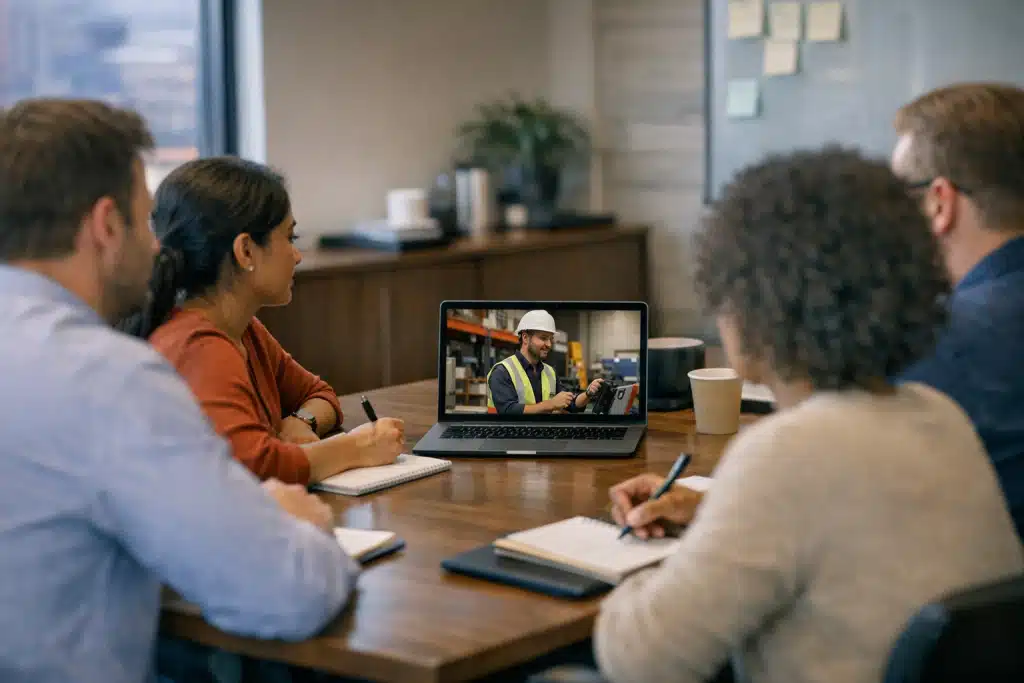
Onboarding and Welcome Videos
These introduce company history, values, and faces new hires will meet. A two-minute welcome from the founder builds connection before day one. We filmed a Boulder software firm’s welcome piece on their rooftop with the Flatirons behind the CEO. New hires mentioned it in their first-week surveys.
Process and How-To Modules
Screen recordings paired with on-camera narration teach software and workflows. Break long topics into three-to-five-minute chapters. Short modules get finished; 40-minute marathons get abandoned.
Scenario and Role-Play Videos
Scripted scenarios show the right and wrong way to handle a situation. A customer-service team learns de-escalation faster watching an actor model it than reading a script. These drive employee engagement because they feel real, not academic.
Safety and Compliance Videos
Colorado’s construction and outdoor-recreation employers lean on these heavily. Filming an actual job site beats generic stock footage. Workers trust training that shows their real equipment and surroundings.
How to Plan a Corporate Training Video Shoot in Denver
A training video shoot moves faster when you prepare the content before the camera arrives. Follow these steps.
- Define one learning objective per video. If a module tries to teach five things, split it into five videos.
- Write a script or detailed outline. On-camera speakers need their key points mapped, even if they ad-lib the delivery.
- Pick your talent. Real employees feel believable. A subject-matter expert on camera carries more weight than a hired actor for technical topics.
- Choose locations. Film where the work happens when you can. A real shop floor reads better than a rented studio.
- Plan for b-roll. Cutaway shots of hands, screens, and equipment keep viewers watching during narration.
- Schedule around daylight. Denver’s high-altitude sun is bright and direct. Morning and late-afternoon light flatters faces; midday sun creates harsh shadows.
Denver-Specific Filming Notes
Our 300-plus sunny days give outdoor shoots an edge most cities lack. But altitude changes how light behaves. The thin air at 5,280 feet makes highlights blow out fast, so we expose carefully.
Winter adds a planning wrinkle. Snow reflects light upward and fills shadows, which can flatter exteriors. Cold drains camera batteries quickly, so we pack extras and keep them warm.
What Corporate Training Videos Cost in Denver
Pricing depends on length, number of videos, and shoot days. Here is how most local projects break down.
- Single talking-head module (one location, half-day shoot): $2,000–$4,500
- Multi-module series (several topics filmed over one or two days): $6,000–$15,000
- Scenario-based productions (actors, multiple setups, scripting): $8,000–$20,000+
- Screen-recording tutorials with voiceover: $800–$2,500 per module
Filming several modules in one shoot day lowers the per-video cost. A company that batches six onboarding clips in a single session pays far less than six separate shoots.
Professional Production vs. DIY
Phone footage works for a quick internal memo. It falls short for training people watch dozens of times.
Where in-house filming breaks down:
- Audio: echoey rooms and HVAC hum make narration hard to follow
- Lighting: flat or uneven light makes speakers look tired
- Editing: no graphics, chapter markers, or captions for accessibility
- Time: your team spends days learning software instead of doing their jobs
A filmed program stays in rotation for two or three years. Spread across every hire during that span, the cost per trained employee drops to pocket change.

 Posted on Google
How to Keep Training Viewers Watching
The best-shot video fails if people tune out. Attention is earned in the editing room.
Structure Each Module for Retention
- Open with the payoff. State what the viewer will be able to do by the end.
- Chunk content visually. On-screen chapter titles signal progress.
- Add captions. Many employees watch muted at their desks.
- Insert knowledge checks. A pause-and-answer prompt turns passive watching into active learning.
- Close with a recap. Three bullet points on screen cement the lesson.
Measure What Works
Most learning platforms track completion rates and drop-off points. If viewers quit at the four-minute mark, that module needs tightening. Use the data to refine your next round of filming.
Building a Training Library That Scales
Start with the three topics every new hire needs most. Film those first, then expand quarterly.
A Denver logistics company we worked with built their library this way. They launched with safety, software, and company-culture modules, then added role-specific videos over the following year. Their onboarding time dropped from two weeks to five days.
Shoot evergreen content that won’t date fast. Avoid filming specific pricing, named staff who may leave, or seasonal promotions inside core training. Keep those details in slides you can swap out.
Conclusion
Video gives Denver employers consistent, repeatable training that new hires actually finish and remember. Plan around one objective per module, film where the work happens, and batch shoots to control cost. Done right, a single production serves your team for years.
Expo Productions builds corporate training videos for Denver businesses across every sector. Call or text 303‑775‑0248, email matthew@expoproductions.com, or visit https://expoproductions.com to start your training video project.
Sources
- Occupational Safety and Health Administration – Training Requirements and Resources
- U.S. Bureau of Labor Statistics – Colorado Economy at a Glance
- National Weather Service – Denver/Boulder Forecast Office
